


Training a machine learning or deep learning model is not simply about choosing an algorithm and feeding data into it. Two developers can train the same model on the same dataset and still get very different results.
Why?
One of the biggest reasons is hyperparameter tuning.
A neural network may perform poorly with one learning rate and significantly better with another. A random forest may struggle with 50 trees but perform much better with 300. Even parameters like batch size, dropout rate, tree depth, regularization strength, and optimizer choice can affect the final performance of a model.
Finding the right combination manually can quickly become frustrating. This is where tools such as Grid Search and Optuna become useful.
If you're new to neural networks and model training, start with our complete guide on What Is Deep Learning? to understand how deep learning models learn from data.
In this guide, we will understand how hyperparameter tuning works, why it matters, and how tools like Grid Search and Optuna can automate much of the optimization process.
What Is Hyperparameter Tuning?
Hyperparameter tuning is the process of finding a good combination of configuration settings for a machine learning model.
Before understanding tuning, we first need to understand the difference between model parameters and hyperparameters.
Model Parameters vs Hyperparameters
Model parameters are learned automatically during training.
To understand how weights, biases, and hidden layers are learned during training, read our beginner-friendly guide on How Neural Networks Work.
For example, when a neural network trains, it learns thousands or even millions of weights. These weights are adjusted using techniques such as backpropagation and gradient descent.
You normally don't choose these weights manually.
Hyperparameters are different.
They are configuration values that are usually selected before or around the training process.
Examples include:
Learning rate
Batch size
Number of hidden layers
Number of neurons
Dropout rate
Number of trees
Maximum tree depth
Regularization strength
Optimizer
Number of training epochs
The values selected for these hyperparameters can have a major impact on how well the model learns.

Why Does Hyperparameter Tuning Matter?
Imagine you are building an image classification model that identifies defective products in a factory.
You train the first model and achieve 82% validation accuracy.
The architecture seems reasonable, the dataset looks good, and the training process completes successfully.
But instead of immediately redesigning the entire neural network, you experiment with the learning rate, batch size, optimizer, and dropout rate.
After several experiments, the same general model architecture reaches 91% validation accuracy.
The important point is that you did not necessarily create a completely different model.
You found a better configuration for the existing training process.
That is the purpose of hyperparameter optimization.
Hyperparameters Can Change Model Behavior
Consider the learning rate.
If the learning rate is too high, the optimizer may make very large updates and repeatedly jump around the minimum of the loss function.
If it is too low, training may become extremely slow and require many more iterations.
The same problem exists with many other hyperparameters.
A very deep decision tree might memorize training data and overfit.
A very shallow tree might fail to learn enough patterns.
Too much dropout can prevent a neural network from learning properly, while too little dropout may provide insufficient regularization.
The goal is therefore not simply to increase or decrease a parameter.
The goal is to find a useful combination.
Learning rate is closely connected to the optimization process. You can learn how SGD, Adam, and other optimizers update model weights in our guide to Gradient Descent & Optimizers.
What Is a Hyperparameter Search Space?
Before an optimization system can find good hyperparameters, we need to define the search space.
The search space describes the possible values that the optimization process is allowed to explore.
Suppose we want to tune a neural network.
We might define:
Learning rate: 0.0001 to 0.1
Batch size: 16, 32, 64, or 128
Dropout rate: 0.1 to 0.5
Hidden layers: 2 to 5
Optimizer: Adam, SGD, or RMSprop
Every possible configuration represents a potential experiment.
For example:
Learning rate = 0.001
Batch size = 32
Dropout = 0.2
Optimizer = Adam
Another experiment could use:
Learning rate = 0.01
Batch size = 64
Dropout = 0.4
Optimizer = SGD
The optimization process evaluates different configurations and attempts to determine which combination performs best according to a selected metric.
That metric could be validation accuracy, F1 score, mean squared error, log loss, or another metric appropriate for the problem.
Dropout is also an important regularization technique in deep learning. For a deeper explanation, see our guide on Batch Normalization & Dropout Techniques.
The Problem with Manual Hyperparameter Tuning
A beginner may initially tune a model manually.
You change the learning rate, train the model, check the result, change the batch size, train again, and continue experimenting.
This approach can work when there are only one or two parameters.
But it quickly becomes difficult when the search space grows.
Suppose you have:
5 learning rates
4 batch sizes
4 dropout values
3 optimizers
5 possible hidden-layer configurations
Testing every combination would require:
5 × 4 × 4 × 3 × 5 = 1,200 experiments
If each experiment requires significant training time, testing everything manually becomes unrealistic.
This is why automated hyperparameter tuning techniques exist.
What Is Grid Search?
Grid Search is one of the simplest and most popular hyperparameter tuning techniques.
The idea is straightforward.
You define a fixed set of possible values for each hyperparameter, and Grid Search evaluates the combinations created from those values.
For example, imagine that we want to tune two parameters:
Learning rate:
0.001, 0.01, 0.1
Batch size:
32, 64, 128
Grid Search can test combinations such as:
0.001 + 32
0.001 + 64
0.001 + 128
0.01 + 32
0.01 + 64
0.01 + 128
0.1 + 32
0.1 + 64
0.1 + 128
After evaluating the configurations, the system compares their performance and selects the best result according to the chosen scoring metric.
How GridSearchCV Works
In the scikit-learn ecosystem, GridSearchCV combines parameter search with cross-validation.
Instead of judging a configuration using only one train-validation split, the model can be evaluated across multiple folds of the training data.
This usually gives us a more reliable estimate of how well a particular hyperparameter configuration is likely to generalize.
A simplified workflow looks like this:
Dataset → Define Model → Define Parameter Grid → Cross-Validation → Test Parameter Combinations → Compare Scores → Select Best Configuration
Grid Search is therefore systematic and easy to understand.
However, it has one major weakness.
If you want to understand why multiple validation folds provide a more reliable model estimate, read our detailed guide on Cross-Validation Techniques Explained.
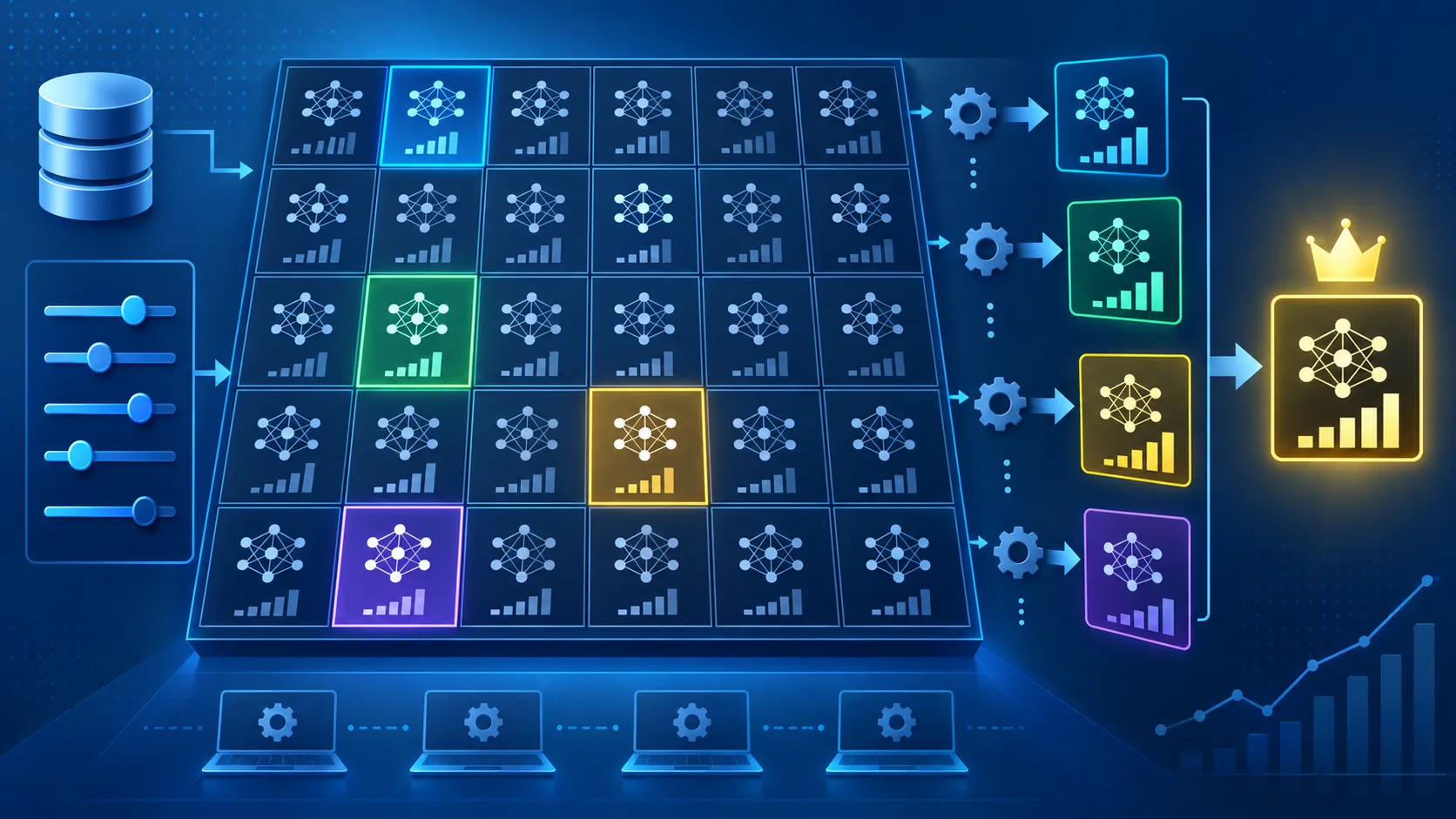
The Biggest Limitation of Grid Search
Grid Search can become computationally expensive.
Suppose we expand our search to ten hyperparameters, with several possible values for each one.
The number of combinations can grow extremely quickly.
This is sometimes called a combinatorial explosion.
The system may spend hours testing configurations that provide little value.
For smaller search spaces, Grid Search can still be an excellent choice.
But when training becomes expensive or the search space becomes large, we usually want a smarter optimization strategy.
This is where Optuna becomes especially interesting.
What Is Optuna?
Optuna is a hyperparameter optimization framework designed to automate model tuning.
Instead of forcing us to test every possible combination in a fixed grid, Optuna can use optimization strategies to decide which parameter configurations should be explored.
Each experiment is commonly treated as a trial.
During a trial, Optuna selects hyperparameter values, trains or evaluates the model, records the resulting objective score, and then uses information from completed trials to continue the optimization process.
This allows the tuning process to focus more attention on promising areas of the search space.
Optuna also supports mechanisms such as pruning, where unpromising trials can be stopped before they consume unnecessary training resources.
That becomes particularly valuable when tuning deep learning models where a single training run may be expensive.
In the next part, we will build practical Grid Search and Optuna workflows and see exactly how these approaches differ in real projects.

Hyperparameter Tuning with GridSearchCV
Now that we understand the basic idea behind hyperparameter optimization, let's see how it works in practice.
We will start with GridSearchCV, one of the easiest hyperparameter tuning tools available in scikit-learn.
Suppose we are building a classification model using a Random Forest. Instead of manually testing different values for the number of trees or tree depth, we can create a parameter grid and let GridSearchCV evaluate the combinations automatically.
Creating a Simple Grid Search
First, import the required libraries:
from sklearn.datasets import load_iris
from sklearn.ensemble import RandomForestClassifier
from sklearn.model_selection import train_test_split, GridSearchCV
X, y = load_iris(return_X_y=True)
X_train, X_test, y_train, y_test = train_test_split(
X,
y,
test_size=0.2,
random_state=42
)
model = RandomForestClassifier(random_state=42)
Now we define the hyperparameters that we want to test.
param_grid = {
"n_estimators": [50, 100, 200],
"max_depth": [None, 5, 10],
"min_samples_split": [2, 5, 10]
}
Here we are tuning three important hyperparameters:
n_estimators controls the number of trees.
max_depth controls how deep each tree can grow.
min_samples_split determines the minimum number of samples required to split an internal node.
Next, we create the GridSearchCV object.
grid_search = GridSearchCV(
estimator=model,
param_grid=param_grid,
cv=5,
scoring="accuracy",
n_jobs=-1
)
grid_search.fit(X_train, y_train)
Finally, we can inspect the best configuration.
print("Best Parameters:", grid_search.best_params_)
print("Best CV Score:", grid_search.best_score_)
GridSearchCV systematically evaluates the parameter combinations using cross-validation and selects the configuration that performs best according to the scoring metric.
Why Use Cross-Validation During Hyperparameter Tuning?
Testing a hyperparameter configuration on only one validation split can sometimes give misleading results.
Maybe that particular split was unusually easy or difficult.
Cross-validation reduces this risk.
With 5-fold cross-validation, for example, the training data is divided into five sections. The model trains on four sections and validates on the remaining section.
This process is repeated so that different folds are used for validation.
The resulting scores are then combined to give a more reliable estimate of model performance.
This is particularly useful during hyperparameter optimization because we want to select parameters that generalize well instead of parameters that simply performed well on one lucky split.
When Grid Search Becomes Expensive
Grid Search works beautifully when the search space is small.
But look again at our example.
We have:
3 values for n_estimators
3 values for max_depth
3 values for min_samples_split
That already creates:
3 × 3 × 3 = 27 configurations
With 5-fold cross-validation:
27 × 5 = 135 model fits
Now imagine tuning eight or ten hyperparameters for a deep learning model.
The computational cost can grow very quickly.
Instead of blindly evaluating every configuration, we may want the optimization algorithm to spend more time exploring promising areas.
That brings us to Optuna.
Hyperparameter Tuning with Optuna
Optuna approaches optimization differently.
Instead of defining only a fixed grid and testing every combination, we define an objective function.
The objective function tells Optuna:
Which hyperparameters should be explored
How the model should be trained
Which metric should be optimized
Every time Optuna evaluates one hyperparameter configuration, it creates a trial.
Understanding Study and Trial in Optuna
Two terms appear repeatedly when working wBuilding an Optuna Objective Function
Study
A Study represents the complete optimization process.
Trial
A Trial represents one individual hyperparameter configuration evaluated during that study.
For example:
Study
├── Trial 1 → Accuracy: 0.91
├── Trial 2 → Accuracy: 0.94
├── Trial 3 → Accuracy: 0.89
├── Trial 4 → Accuracy: 0.96
└── Trial 5 → Accuracy: 0.93
If Trial 4 achieves the best objective value, its hyperparameters may become the current best configuration.

Building an Optuna Objective Function
Let's tune the same Random Forest model using Optuna.
import optuna
def objective(trial):
n_estimators = trial.suggest_int(
"n_estimators",
50,
300
)
max_depth = trial.suggest_int(
"max_depth",
2,
20
)
min_samples_split = trial.suggest_int(
"min_samples_split",
2,
10
)
model = RandomForestClassifier(
n_estimators=n_estimators,
max_depth=max_depth,
min_samples_split=min_samples_split,
random_state=42
)
model.fit(X_train, y_train)
accuracy = model.score(X_test, y_test)
return accuracy
Notice something important here.
We did not manually create a long list of every possible parameter combination.
Instead, we described the ranges Optuna can explore.
For continuous parameters such as a neural network's learning rate, we could also write:
learning_rate = trial.suggest_float(
"learning_rate",
1e-5,
1e-1,
log=True
)
This is particularly useful because learning rates often need to be explored across several orders of magnitude.
Creating an Optuna Study
Now we create a Study.
study = optuna.create_study(
direction="maximize"
)
study.optimize(
objective,
n_trials=50
)
We use:
direction="maximize"
because we want to maximize accuracy.
If our objective were something like validation loss or mean squared error, we might instead use:
direction="minimize"
After optimization finishes, we can inspect the result:
print("Best Accuracy:", study.best_value)
print("Best Parameters:", study.best_params)
Optuna now gives us the best-performing configuration discovered during the optimization process.
What Is TPE in Optuna?
One of Optuna's important optimization techniques is the Tree-structured Parzen Estimator, commonly called TPE.
TPE is a sampling strategy that uses information from previous trials to help decide which parameter values should be evaluated next.
Instead of treating every experiment completely independently, the optimizer can gradually focus its search on areas that appear more promising.
Optuna currently uses TPESampler as the default sampler when a sampler is not explicitly provided.
We can also define it ourselves:
from optuna.samplers import TPESampler
sampler = TPESampler(seed=42)
study = optuna.create_study(
direction="maximize",
sampler=sampler
)
study.optimize(
objective,
n_trials=50
)
This ability to use previous trial information is one major difference between intelligent optimization methods and traditional exhaustive Grid Search.
Optuna Pruning: Stop Bad Trials Early
Another useful Optuna feature is pruning.
Imagine training a neural network for 100 epochs.
After 15 epochs, one trial is clearly performing much worse than previous experiments.
Without pruning, we may still allow the model to train for the remaining 85 epochs.
That consumes unnecessary computing resources.
With pruning, intermediate results can be reported to Optuna.
A simplified pattern looks like this:
for epoch in range(100):
train_model()
validation_loss = evaluate_model()
trial.report(validation_loss, epoch)
if trial.should_prune():
raise optuna.TrialPruned()
If the trial appears unpromising, Optuna can terminate it and move to another configuration.
For expensive deep learning experiments, this can make hyperparameter optimization much more practical.

Grid Search vs Optuna: Practical Difference
The basic difference can be understood like this:
Grid Search
Optuna
Tests predefined combinations
Dynamically suggests parameters
Simple to understand
More flexible
Excellent for small search spaces
Better suited to larger search spaces
Can become computationally expensive
Can focus on promising regions
Exhaustive within the specified grid
Uses sampling algorithms
No intelligent early stopping by default
Supports trial pruning
This does not mean Grid Search is outdated or useless.
For a small search space where you specifically want to compare every configuration, Grid Search is often an excellent solution.
Optuna becomes more attractive when the search space is large, training is expensive, or you want more flexibility in defining your optimization process.
A Real-World Hyperparameter Tuning Workflow
Imagine you are training a deep learning model to detect defective products from factory images.
The initial model achieves 87% validation accuracy.
Instead of randomly changing settings, you define a structured search space:
Learning Rate:
0.00001 → 0.01
Batch Size:
16, 32, 64, 128
Dropout:
0.1 → 0.5
Optimizer:
Adam, SGD
Hidden Units:
64 → 512
Optuna runs multiple trials.
Some configurations perform poorly and can potentially be stopped early.
Promising configurations receive further exploration.
Eventually, you might discover a configuration such as:
Learning Rate: 0.0008
Batch Size: 32
Dropout: 0.28
Optimizer: Adam
Hidden Units: 256
The important lesson is not that these particular numbers are universally best.
They are best only if experimentation shows that they work well for your model, dataset, training pipeline, and evaluation metric.
Hyperparameter tuning is therefore not about finding magical values.
It is about creating a systematic optimization process that helps us discover better configurations with less guesswork.
In the next part, we will look deeper into Optuna vs Grid Search, tuning deep learning models, best practices, common mistakes, data leakage, overfitting to validation data, and how to choose the right hyperparameter optimization strategy for a real project.
Hyperparameter Tuning for Deep Learning Models
Hyperparameter tuning becomes even more important in deep learning because neural networks usually have many configuration choices.
Some of the most commonly tuned deep learning hyperparameters include:
Learning rate
Batch size
Number of hidden layers
Number of neurons per layer
Dropout rate
Optimizer
Weight decay
Activation function
Number of epochs
However, tuning everything at the same time is usually not a good idea.
A better approach is to start with the hyperparameters that have the greatest impact on training.
Start with the Learning Rate
The learning rate is often one of the most important hyperparameters in a neural network.
If it is too high, training can become unstable.
If it is too low, the model may learn very slowly.
Instead of testing only values such as:
0.001
0.002
0.003
0.004
it is often more useful to explore the learning rate on a logarithmic scale.
For example:
0.00001
0.0001
0.001
0.01
0.1
This allows the optimization process to explore a much wider range.
After finding a promising learning-rate region, you can narrow the search further.
Tune Batch Size
Batch size determines how many training samples are processed before the model updates its weights.
Common values include:
16
32
64
128
256
A larger batch size may make training computationally efficient on suitable hardware, but it also requires more memory.
A smaller batch size uses less memory and produces noisier gradient estimates, which can sometimes help optimization.
There is no universal best batch size.
The correct value depends on the dataset, model architecture, hardware, and training objective.
Tune Regularization Hyperparameters
Once the basic training process is stable, you can tune regularization.
For example:
Dropout:
0.1 → 0.5
Weight Decay:
0.00001 → 0.01
Regularization helps reduce overfitting.
However, too much regularization can also cause underfitting.
A dropout rate of 0.8, for example, may remove so much information during training that the network struggles to learn meaningful patterns.
Again, the goal is balance rather than simply increasing regularization.
Optuna vs Grid Search: Which Should You Use?
Both Grid Search and Optuna are useful, but they are designed for slightly different situations.
Use Grid Search When:
You have only a few hyperparameters.
Each parameter has a small number of possible values.
Training is relatively inexpensive.
You want to evaluate every predefined combination.
You need a simple and transparent tuning process.
For example, suppose you want to compare:
max_depth = [5, 10]
n_estimators = [100, 200]
There are only four combinations.
Grid Search is perfectly reasonable here.
Using a more advanced optimization system may provide little benefit.
Use Optuna When:
The search space is large.
Model training is expensive.
You are tuning neural networks.
Parameters include continuous ranges.
You want automated sampling.
You want to stop poor trials early.
You need greater control over the optimization workflow.
If you are experimenting with learning rate, dropout, hidden units, optimizer selection, weight decay, and batch size simultaneously, Optuna is often more practical.
Avoid Overfitting to the Validation Set
One of the most overlooked problems in hyperparameter tuning is validation-set overfitting.
Suppose you run hundreds of trials.
Every trial is evaluated on the same validation data.
Eventually, your optimization process may indirectly start selecting configurations that work unusually well on that specific validation set.
This can create an overly optimistic performance estimate.
The model may then perform worse when evaluated on completely unseen data.
A safer workflow is:
Training Data
↓
Hyperparameter Optimization
↓
Validation / Cross-Validation
↓
Select Best Hyperparameters
↓
Final Model
↓
Untouched Test Set
The test dataset should normally remain untouched until the final evaluation.
Do not repeatedly tune your model based on the test-set result.
Otherwise, the test set effectively becomes another validation set.
Watch Out for Data Leakage
Data leakage can completely invalidate hyperparameter tuning results.
Imagine that you normalize the entire dataset before splitting it into training and validation sets.
Information from the validation data may influence the transformation applied to the training data.
The reported performance could then look better than it really is.
Preprocessing operations such as:
Feature scaling
Feature selection
Imputation
Encoding
Dimensionality reduction
should be handled carefully inside the training and validation workflow.
Using machine learning pipelines is one common way to reduce the risk of leakage.
Preprocessing and feature creation must also be performed carefully to avoid leaking information into the validation set. Learn more in our guide to Feature Engineering Strategies.
Common Hyperparameter Tuning Mistakes
Tuning Too Many Parameters at Once
A huge search space may look impressive, but it can waste computation.
Start with the parameters that are most likely to affect performance.
For a neural network, you might begin with:
Learning rate
Batch size
Optimizer
Dropout
Then expand the search if necessary.
Choosing Unrealistic Search Ranges
Search-space design matters.
If the correct learning rate is around 0.001 but your search only explores values between 0.1 and 1.0, even an advanced optimizer cannot magically discover the correct value.
Optimization quality depends partly on the quality of the search space.
Optimizing the Wrong Metric
Accuracy is not always the best objective.
Suppose you are detecting fraudulent transactions and only 1% of transactions are fraudulent.
A model predicting "not fraud" for everything may achieve approximately 99% accuracy while being practically useless.
In cases involving imbalanced datasets, metrics such as:
Precision
Recall
F1 score
ROC-AUC
PR-AUC
may provide more useful optimization objectives.
Choosing the correct evaluation metric is essential, especially for imbalanced classification problems. Our guide on Model Evaluation Metrics: Precision, Recall & F1 Score explains when each metric should be used.
The metric should reflect the actual business or application goal.
Running Too Few Trials
Optuna cannot explore a meaningful search space if you allow only a handful of trials.
At the same time, running thousands of trials unnecessarily can waste resources.
The number of trials should depend on:
Search-space size
Model training cost
Available computing resources
Required performance
Project deadline
There is no single perfect number of trials.
A Better Hyperparameter Optimization Strategy
A practical tuning workflow can look like this:
Step 1: Build a Strong Baseline
Train a reasonable default model before tuning anything.
Record its validation performance.
Without a baseline, you cannot clearly measure whether tuning actually improved the model.
Step 2: Identify Important Hyperparameters
Do not immediately optimize every configurable value.
Choose the parameters most likely to affect model performance.
Step 3: Define Sensible Search Ranges
Use domain knowledge and previous experiments to avoid unrealistic ranges.
Step 4: Run Hyperparameter Optimization
For small search spaces, Grid Search may be sufficient.
For larger or expensive searches, use tools such as Optuna.
Step 5: Analyze the Best Trials
Do not blindly accept the best trial.
Check whether the result is stable and whether similar configurations also perform well.
Step 6: Retrain the Final Model
Once the best hyperparameters are selected, retrain the model using the appropriate training data.
Step 7: Evaluate on Unseen Test Data
Finally, evaluate the resulting model on a test dataset that was not used during hyperparameter selection.
This gives you a much more realistic estimate of real-world performance.
Final Thoughts
Hyperparameter tuning can make the difference between an average model and a well-optimized model, but it should not be treated as a magic solution.
A poor dataset, incorrect labels, data leakage, or an unsuitable model architecture cannot always be fixed by running more optimization trials.
Grid Search provides a simple and reliable way to test predefined parameter combinations, making it especially useful for smaller search spaces.
Optuna provides a more flexible approach for larger optimization problems, particularly when training is computationally expensive or the search space contains many possible values.
The best approach is not to tune every possible setting.
It is to build a strong baseline, choose meaningful hyperparameters, define sensible search spaces, optimize the correct metric, and validate the final model carefully.\
Hyperparameter optimization works best when you already understand the fundamentals of training, optimization, regularization, and model evaluation. If you're building your deep learning knowledge step by step, explore our other Deep Learning tutorials for related guides and practical explanations.
With that structured workflow, hyperparameter tuning becomes less about guessing values and more about making systematic, evidence-based improvements to your machine learning and deep learning models.
Frequently Asked Questions About Hyperparameter Tuning
What is hyperparameter tuning in machine learning?
Hyperparameter tuning is the process of finding suitable configuration values for a machine learning or deep learning model. These values are not learned automatically during training and may include the learning rate, batch size, number of trees, maximum tree depth, dropout rate, optimizer, and regularization strength.
The goal of hyperparameter tuning is to find a configuration that helps the model perform well on unseen data rather than simply memorizing the training dataset.
What is the difference between parameters and hyperparameters?
Model parameters are learned automatically during training. Neural network weights and biases are common examples.
Hyperparameters are configuration settings that control how the model is built or trained. Examples include learning rate, batch size, tree depth, number of estimators, dropout rate, and optimizer choice.
In simple terms, the model learns parameters, while developers or optimization algorithms select hyperparameters.
What is Grid Search in machine learning?
Grid Search is a hyperparameter optimization technique that tests predefined combinations of parameter values.
For example, if you provide three possible learning rates and three possible batch sizes, Grid Search evaluates the combinations created from those values.
It is simple and systematic, but it can become computationally expensive when the number of hyperparameters and possible values increases.
What is GridSearchCV?
GridSearchCV is a scikit-learn tool that combines Grid Search with cross-validation.
It evaluates different hyperparameter combinations across multiple training-validation folds and compares their scores.
This helps developers choose a configuration based on more than one validation split, providing a more reliable estimate of model performance.
What is Optuna used for?
Optuna is a hyperparameter optimization framework used to automate the search for effective model configurations.
It can explore parameters such as learning rate, dropout, batch size, tree depth, regularization strength, and optimizer choice.
Optuna also supports different sampling algorithms and pruning techniques, making it particularly useful when the search space is large or individual model-training runs are expensive.
Is Optuna better than Grid Search?
Neither approach is always better.
Grid Search is often a good choice when the search space is small and you want to evaluate every predefined combination.
Optuna is generally more suitable when you have a larger search space, continuous parameter ranges, expensive model training, or many hyperparameters.
The right choice depends on the size of the problem, available computing resources, and how much control you need over the optimization process.
What is a trial in Optuna?
A trial represents one hyperparameter configuration evaluated during an Optuna optimization study.
For example, one trial might test:
Learning Rate: 0.001
Batch Size: 32
Dropout: 0.2
Optimizer: Adam
Another trial may test a completely different combination.
Optuna records the objective value generated by each trial and uses the results to guide the optimization process.
What is a Study in Optuna?
A Study represents the complete hyperparameter optimization process in Optuna.
A Study contains multiple trials and keeps track of important information such as:
Hyperparameters tested
Objective values
Completed trials
Pruned trials
Best objective value
Best hyperparameter configuration
You can think of a Study as the entire optimization experiment and a Trial as one experiment inside it.
What is TPE in Optuna?
TPE stands for Tree-structured Parzen Estimator.
It is a sampling approach that can use information from previous trials to decide which parameter values should be explored next.
Instead of blindly evaluating every possible configuration, TPE can spend more optimization effort exploring areas of the search space that appear promising.
This makes it useful for many hyperparameter optimization problems.
What is pruning in Optuna?
Pruning allows Optuna to stop an unpromising trial before it finishes completely.
For example, suppose a neural network is scheduled to train for 100 epochs. If its validation performance is already very poor after the first part of training, continuing the remaining epochs may waste computing resources.
A pruning strategy can terminate such a trial early and allow the optimization process to move to another configuration.
Which hyperparameters should I tune first?
For deep learning models, the learning rate is often a good starting point.
Other important hyperparameters may include:
Batch size
Optimizer
Dropout rate
Weight decay
Number of hidden layers
Number of neurons
Learning-rate schedule
For tree-based models, important hyperparameters may include:
Number of trees
Maximum tree depth
Minimum samples required for splitting
Maximum features
Learning rate for boosting algorithms
You usually do not need to tune every available parameter at once.
Can hyperparameter tuning cause overfitting?
Yes.
If you repeatedly optimize hundreds or thousands of configurations against the same validation dataset, you may eventually select a configuration that performs unusually well on that specific validation data.
This is sometimes described as overfitting to the validation set.
Keep an independent test set untouched during hyperparameter optimization and use it for the final evaluation.
Does hyperparameter tuning always improve model accuracy?
No.
Hyperparameter tuning can improve model performance, but it cannot guarantee higher accuracy.
Problems such as poor-quality data, incorrect labels, severe class imbalance, data leakage, an unsuitable model architecture, or insufficient features may have a much larger impact than hyperparameter selection.
Tuning should therefore be part of a broader machine learning workflow rather than treated as a guaranteed solution.
How many Optuna trials should I run?
There is no universal number of trials that works for every project.
The appropriate number depends on:
Number of hyperparameters
Size of the search space
Cost of training one model
Available CPU or GPU resources
Required model performance
Project time constraints
A small experiment can begin with a limited number of trials and then expand if the results suggest that additional exploration would be useful.
Grid Search or Optuna: which is better for deep learning?
Optuna is often more practical for deep learning because neural networks can contain many hyperparameters and each training run can be expensive.
Its flexible search spaces and pruning capabilities can help avoid wasting resources on poor configurations.
Grid Search can still be useful when only a few discrete hyperparameters need to be compared.
What is the best hyperparameter tuning strategy?
A strong workflow is:
Build a baseline model.
Choose the most important hyperparameters.
Define realistic search ranges.
Select an appropriate evaluation metric.
Use Grid Search for small search spaces or Optuna for larger optimization problems.
Track validation performance.
Avoid data leakage.
Select promising hyperparameters.
Retrain the final model.
Evaluate it once on an untouched test dataset.
There is no single tuning algorithm that is best for every project. The best strategy is the one that gives reliable improvements without wasting unnecessary computational resources.


